Invoices from the job, figures at a glance
Labour and parts are already in the job, so the invoice takes one click. You see revenue, gross profit and who still owes you.
Try it free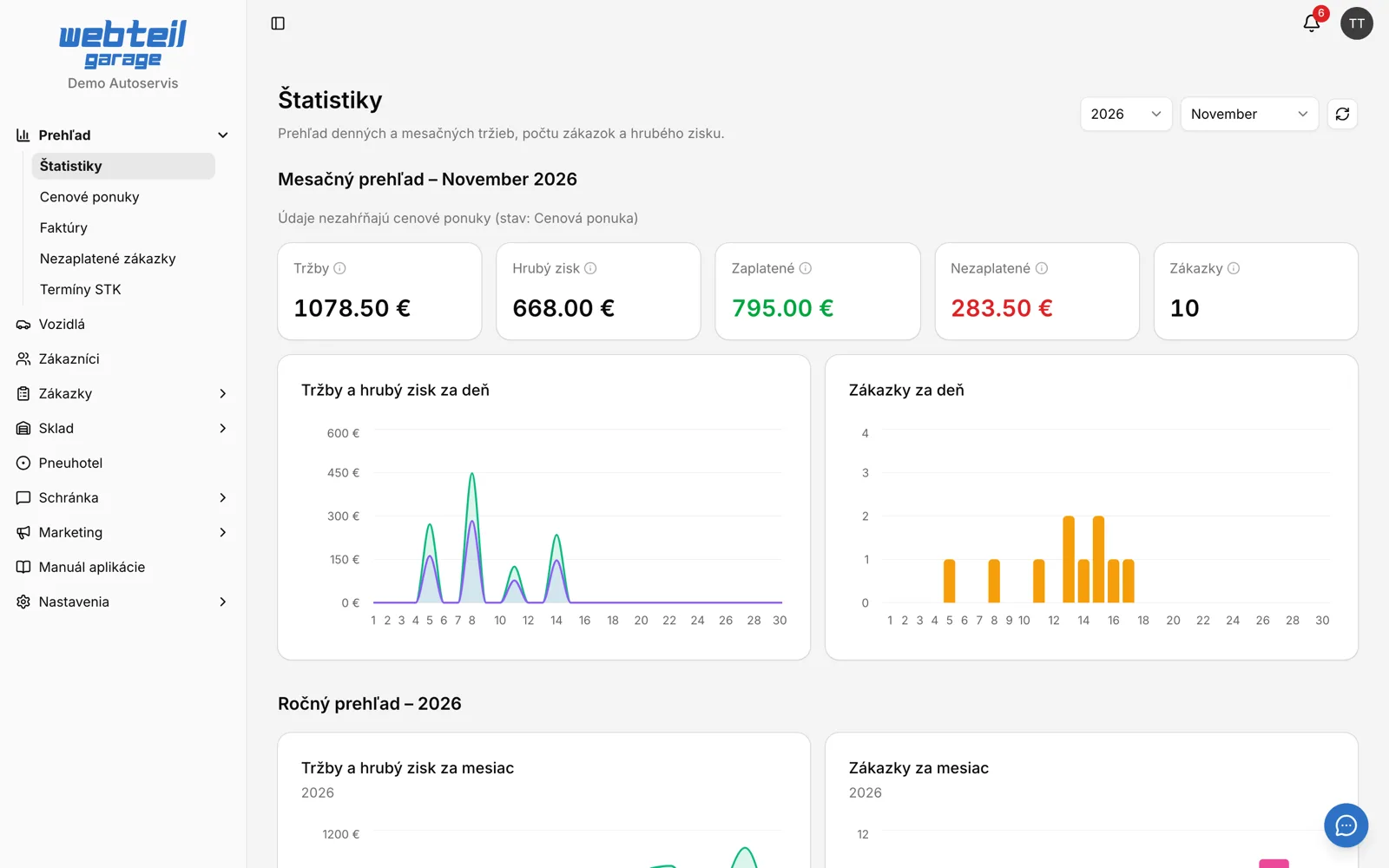
Invoices from jobs
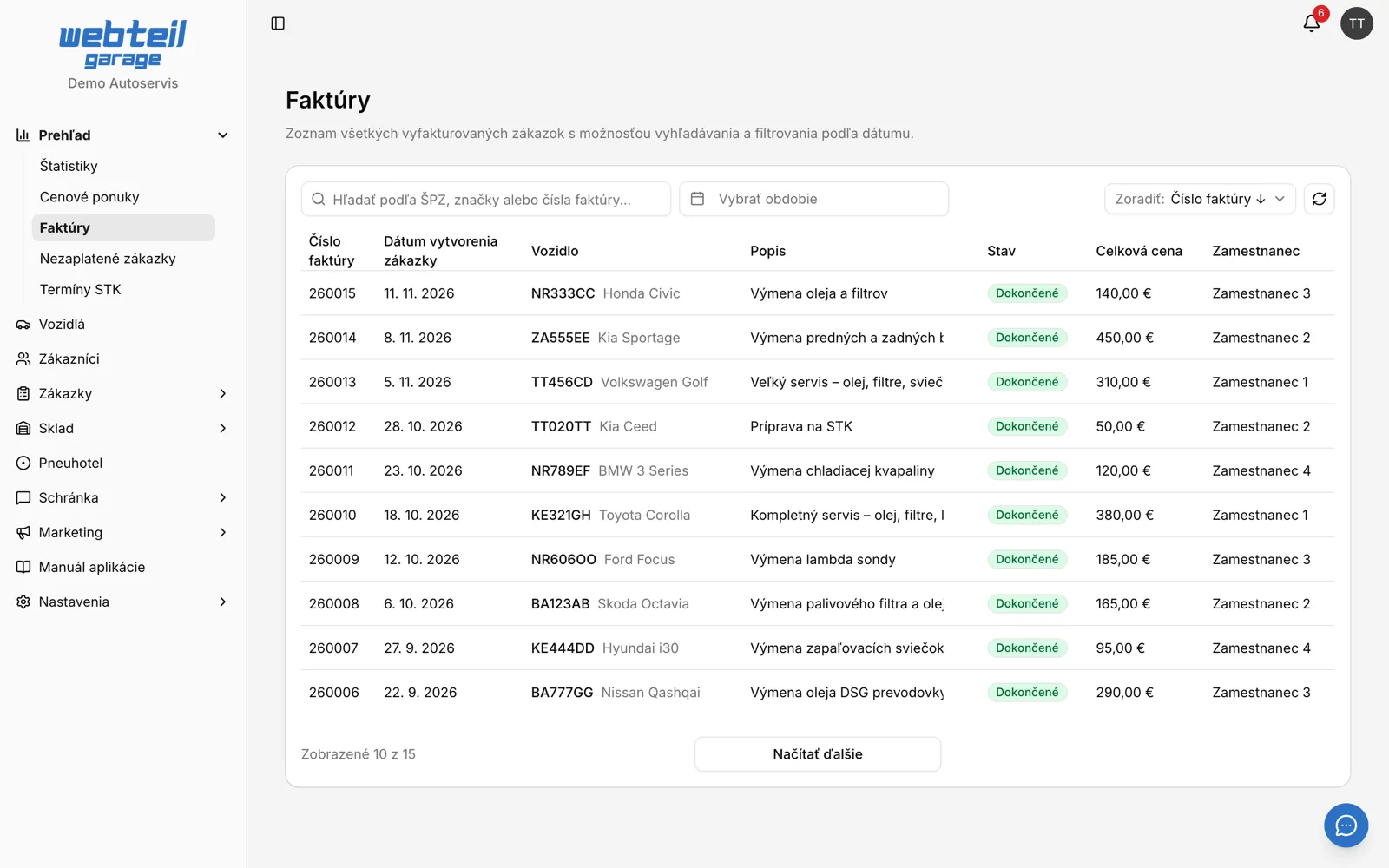
The invoice is created from the job with labour and parts, its own number and your logo. Find every invoice in one place by plate, number or date.
Quotes
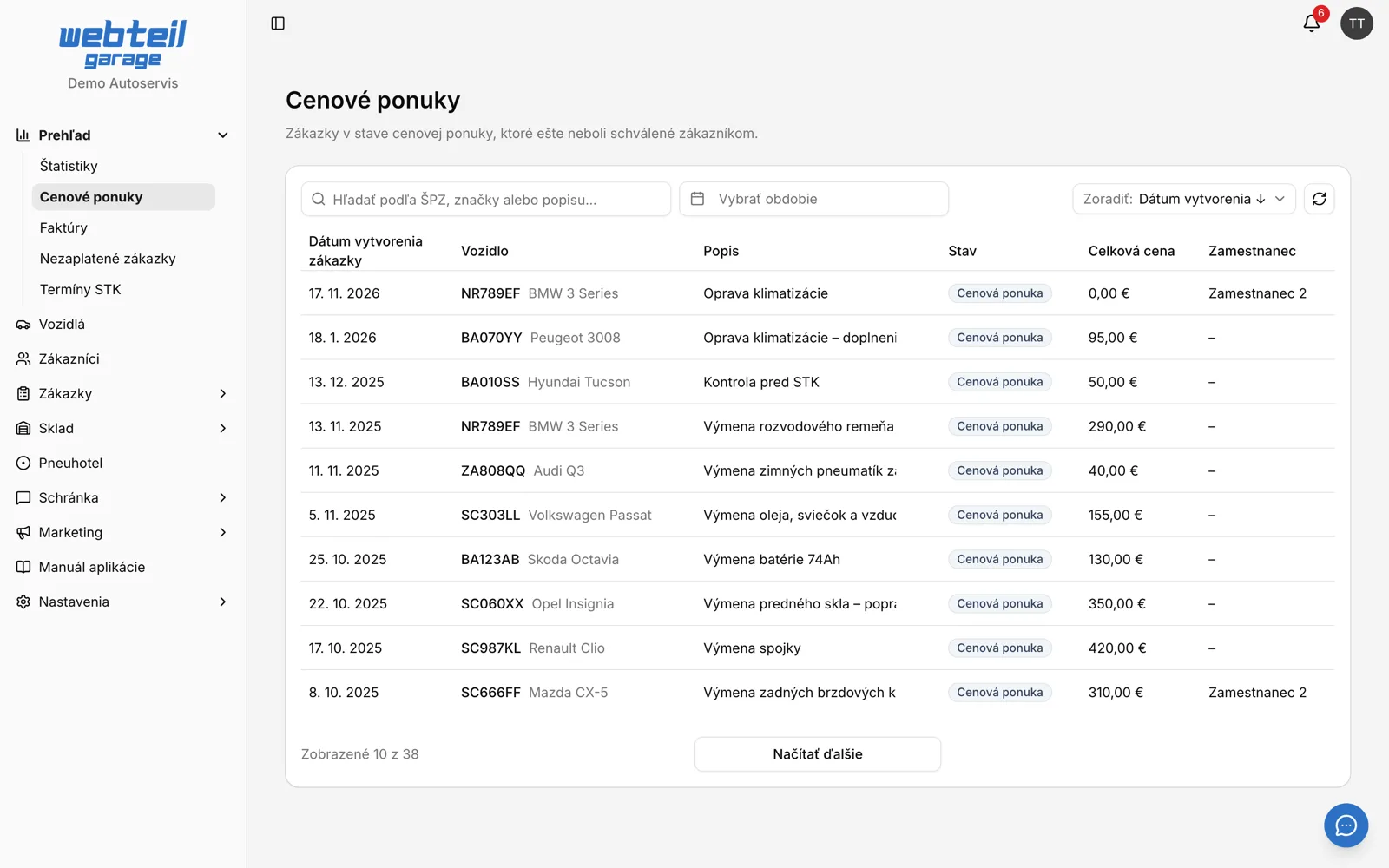
Prepare a quote in the job and send it to the customer as a PDF. Unapproved quotes have their own overview and do not count towards revenue.
How the workshop is doing
Revenue, gross profit, paid and unpaid amounts and the number of jobs per month, with charts by day and for the whole year. Decide by the figures, not by feel.
Who has not paid yet
Jobs with an outstanding balance on one list. When the customer pays, mark them paid in one click.
Documents as PDFs
Quote, invoice, job sheet and material use as PDFs straight from the job.
Invoice by e-mail
Send the invoice to the customer by e-mail from a template; the PDF is attached by itself.
Frequently asked questions
More in WebTeil Garage
Try Garage free for a month
We show you the system, set it up for your workshop, and the first month costs nothing. If you decide not to continue, we hand over all your data.